
(newer tips are at the top)
Launchy
If you're on a Mac, you're lucky enough to have Spotlight built in, but for us suckers on Winderrs there's Launchy.
Operation couldn't be simpler: install it, and it indexes all your programs and stuff on your Desktop. Then, just hit Alt+Space to bring it up and start typing the name of whatever program or file you're gonna open and Launchy finds it.

It seems to get smarter about what you're looking for too, to where you can just type 2 or 3 letter combos to find a program. For
instance, I just type fir for Firefox, ps for Photoshop, and so forth.
It's one of those programs that you can't live without once you start using it.
Alt+Tab
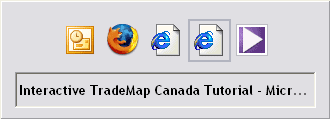
Hitting Alt+Tab cycles through all the open windows you have on your computer. It's tons faster than grabbing the mouse and clicking on the taskbar to go to that program.
If you want the Cadillac of Alt+Tab, try the free TaskSwitchXP.
Firefox: Bookmark All Tabs
If you're like me, you eat turtle soup with Aborigines every Friday. You also probably have 400 tabs open in Firefox sometimes
and no time to read 'em all, but don't wanna lose 'em either. The fine folks at Firefox (say that 3 times fast) bestowed upon us
Bookmarks > Bookmark All Tabs (Ctrl+Shift+D).
It's badass. Give it a shot.
Control+F5
This is a handy shortcut to reload a page in your browser and clear out the cached files at the same time. When a site starts acting or looking a little strange, this can often cure it. It's kinda like the ol' "restart your computer" cure for when the whole machine starts acting a little nutty.